Most Solar Fire users don't realize that in addition to being able to generate Natal, Transit, Progressed, Compatibility, Midpoint, and Firdaria reports, Solar Fire can also create Solar Return reports. How to create Solar Return report in Solar Fire
By Hank Friedman
The method takes several steps, and so here is the tutorial:
1. Create a Solar Return chart:
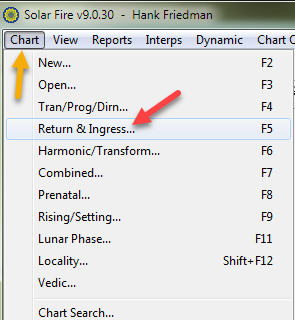
Click on Chart, Return & Ingress:
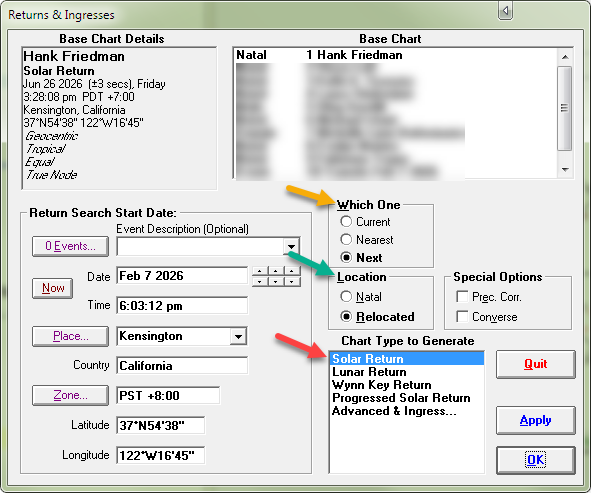
On the next screen select which Return you want (yellow arrow), the location (green arrow), and Chart Type to Generate (red arrow)
And then click on the OK button at the bottom right.
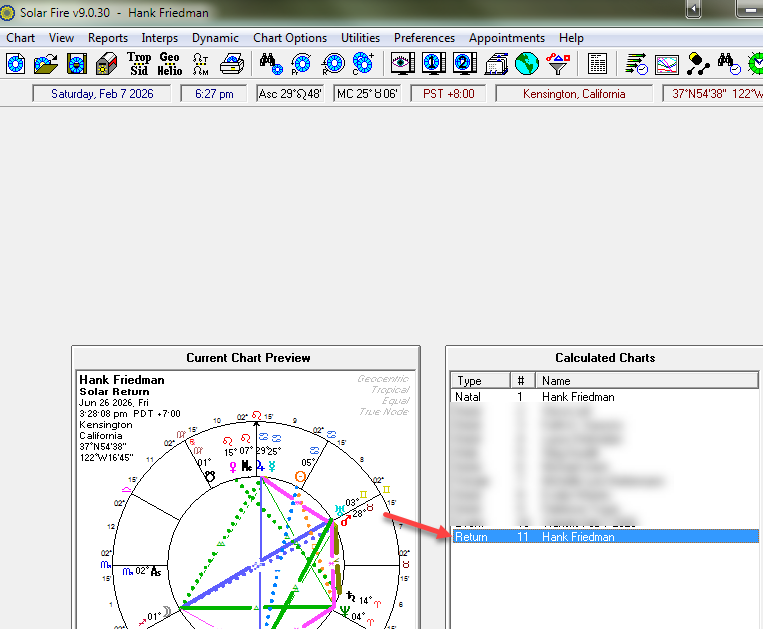
2. On the main screen, under Calculated Charts, click on the Solar Return chart to make sure it's selected:
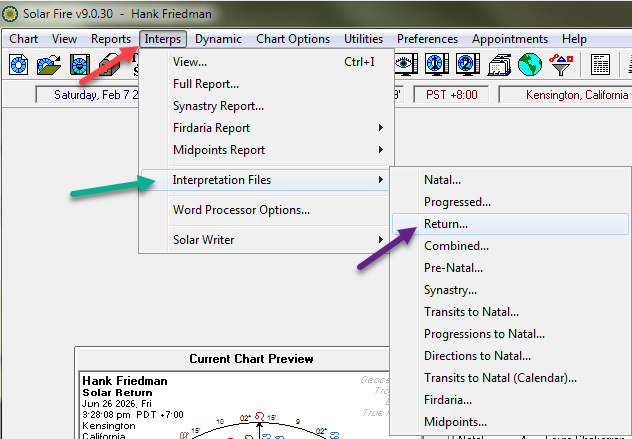
3. Next, at the top menu, click on Interps, Interpretations Files, Return:
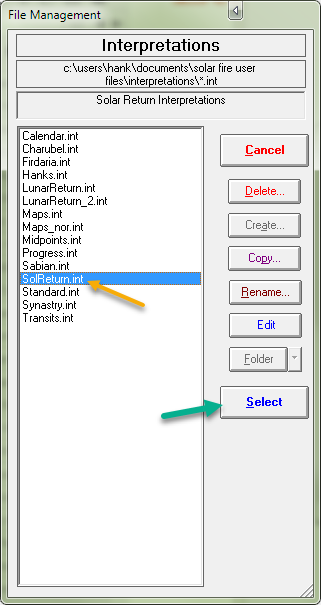
4. On the next screen click on the SolReturn.int file and then on the Select button at the bottom right:
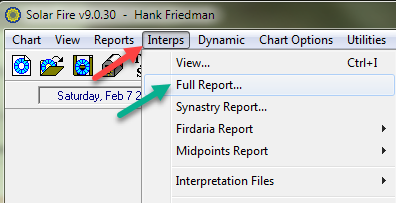
5. On the main screen, click on Interps, then on Full Report:
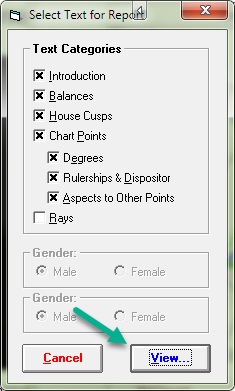
and on the next screen, choose the options you want and then click on the View Button:
6. Voilà, Solar Fire will create your Solar Return report. I hope that you enjoy it!
Important Postscript:
Unless you want your Solar Fire settings to constantly change -- which is very disruptive, please make sure that the Save Settings on Exit -- in the Preferences menu -- is Unchecked:
Click to Return to
Send e-mail to Hank Friedman by clicking here
Copyright © 2026 Hank Friedman --- ALL RIGHTS RESERVED